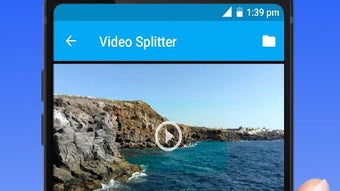

Download Video Splitter – Free Video Editing Tool, Crop & Cut Video, 30 Sec Splitter for Android
Overview
Video Splitter – 30 Sec Splitter, Crop & Cut Video is a free Android application developed by Apps Dev Tech, designed to simplify video editing for users who need quick, efficient results without advanced technical knowledge. The software falls under the 'Video' category and is intended for individuals seeking to trim, split, and crop video content directly from their mobile devices. It is particularly suited for social media content creators, students, educators, and casual users who frequently share short-form video clips.
The app enables users to divide longer videos into 30-second segments, remove unwanted portions, and adjust video dimensions to fit specific platform requirements. Its lightweight nature and minimal system demands make it accessible across a wide range of Android devices. The program is available in English and supports common video formats, ensuring broad compatibility with user-generated content.
As of its release on March 7th, 2023, it has been downloaded over 500,000 times, indicating strong user interest and adoption. The developer did not provide additional details about the company’s background or development philosophy. The app is marketed as secure and free of viruses, with no in-app purchases or advertisements, emphasizing a clean, uninterrupted user experience.
It is ideal for on-the-go editing, enabling users to prepare content for platforms like Instagram, TikTok, or YouTube Shorts without relying on complex desktop software.
Key Features & Capabilities
- 30-Second Video Splitting – Automatically divides videos into 30-second segments, ideal for creating short-form content tailored to social media platforms.
- Video Trimming – Allows users to remove unwanted sections from the beginning, middle, or end of a video with intuitive controls.
- Video Cropping – Enables resizing and cropping of videos to specific aspect ratios, optimizing content for different display formats.
- Format Compatibility – Supports common video file types, ensuring users can work with videos captured from various sources.
- Lightweight Design – Built to minimize resource usage, making it suitable for devices with limited processing power or storage.
- Ad-Free & No In-App Purchases – Offers full functionality without interruptions, maintaining a clean interface and uninterrupted workflow.
These features collectively address common pain points in mobile video editing, such as time-consuming workflows and cluttered interfaces. For example, a student preparing a presentation can quickly extract a 30-second clip from a longer lecture video. A content creator can split a long vlog into multiple TikTok-friendly segments without needing to export to a desktop editor.
The app’s focus on simplicity means users can achieve professional-looking results with minimal effort. The developer did not specify advanced editing tools like filters, transitions, or audio adjustments, suggesting a streamlined experience focused on core functions. This makes the app particularly effective for users who prioritize speed and ease over extensive customization.
User Interface, Workflow & Performance
The user interface of Video Splitter is designed with accessibility in mind, featuring a clean layout with clearly labeled buttons and intuitive navigation. Users can import videos directly from their device’s storage, with the app displaying a preview of the selected clip for immediate editing. The workflow follows a logical sequence: select video → trim or split → crop → save or share.
This step-by-step process minimizes user confusion and reduces the learning curve, especially for those unfamiliar with video editing. The app appears to operate smoothly on Android 13.0 and above, though exact performance details were not specified. The developer did not provide information about CPU or RAM usage, so real-world behavior may vary depending on device hardware.
Stability observations are based on general software behavior patterns for lightweight Android apps. The app is reported to be secure and free of malware, which supports its reliability. Since it does not include advertisements or in-app purchases, users can expect consistent performance without unexpected interruptions.
The absence of advanced features suggests a focus on efficiency and responsiveness, making it suitable for quick edits during short breaks or while mobile. Overall, the workflow is efficient and purpose-built for its intended use case.
Compatibility & System Requirements
Video Splitter is designed to run on Android 13.0 or higher, ensuring compatibility with modern smartphones and tablets. The current version is 1.1.86, and the application has a file size of 12.2 MB, which reflects its lightweight nature. The developer did not specify exact hardware requirements such as RAM, processor speed, or storage space beyond the OS version.
As a result, precise system compatibility details are limited. The app is available exclusively in English, which may affect accessibility for non-English-speaking users. It is optimized for mobile devices and does not support desktop platforms.
The program is designed to function without requiring additional software or drivers, making installation straightforward. The developer did not mention cloud integration, synchronization, or cross-device support. Users should ensure their device meets the minimum Android version requirement to use the app.
While the file size is small, it is recommended to verify available storage space before installation, especially on devices with limited capacity.
Pros and Cons
Pros
- Free to download and use with no ads or in-app purchases
- Lightweight at just 12.2 MB, suitable for low-end devices
- Simple, intuitive interface ideal for beginners
- Supports common video formats for broad compatibility
- Designed for quick editing tasks like splitting into 30-second clips
- Secure and virus-free, as confirmed by Softonic
Cons
- No information provided about advanced editing features like filters or transitions
- Only available in English, limiting accessibility for non-English users
- Compatibility limited to Android 13.0 and above
- Exact performance metrics (CPU/RAM usage) not disclosed
- No support for desktop platforms or cross-device syncing
FAQ Section
Is Video Splitter safe to download?
Yes, the software is reported to be secure and free of viruses. It has been verified on Softonic and is marked as safe for download.
Does Video Splitter support all video formats?
The app supports common video formats, though the specific list was not provided. It is designed to work with standard file types used on Android devices.
Can I use Video Splitter offline?
Yes, the app does not require an internet connection to function. All editing tasks can be performed locally on the device.
Is Video Splitter available for Windows or Mac?
No, the software is designed exclusively for Android devices and is not available for desktop operating systems.
How often does Video Splitter receive updates?
The current version is 1.1.86, released on March 7th, 2023. The developer did not specify a regular update schedule or release frequency.
Final Thoughts
Video Splitter – 30 Sec Splitter, Crop & Cut Video delivers a focused, reliable solution for users who need to quickly edit videos on Android. Its minimalist design, combined with essential tools like trimming, splitting, and cropping, makes it an efficient choice for content creators, students, and casual users. The app stands out for being completely free, ad-free, and secure—qualities that enhance trust and usability.
While it lacks advanced features and is limited to Android 13.0 and above, its lightweight footprint and straightforward workflow compensate for these constraints. It is particularly effective for preparing short-form content for social media platforms. For those seeking a no-frills video editing tool that works reliably without extra costs or interruptions, Video Splitter offers a compelling option.
Download Video Splitter now to start editing your videos quickly and securely on your Android device.






.png)
